QQEnglish - เรียนภาษาอังกฤษออนไลน์ ฟรี ติวภาษาอังกฤษออนไลน์ตัวต่อตัว - How to Start? วิธีเริ่มคลาสเรียนภาษาอังกฤษออนไลน์ - วิธีการเข้าใช้งานห้องเรียนของ QQEnglish
ระบบปฏิบัติการ: แนะนำสำหรับ Window 7 ขึ้นไป หรือระบบปฏิบัติการ Macเบราวเซอร์: Chrome
เพื่อให้มั่นใจว่าการดำเนินไปของคาบเรียนจะเป็นไปได้อย่างราบรื่นและมีประสิทธิภาพ โปรดตรวจสอบหูฟังและไมโครโฟนของคุณ
แล็ปท็อปมักมาพร้อมกล้อง ส่วนคอมพิวเตอร์ตั้งโต๊ะอาจจำเป็นต้องใช้กล้องจากอุปกรณ์อื่น
เข้าสู่ระบบเว็ปไซต์ทางการของเรา (https://th.qqeng.com/q/mypage/setting/account/)
บนหน้า “บัญชีของฉัน” เลือก “Classroom” ในช่อง “เครื่องมือวีดีโอ”
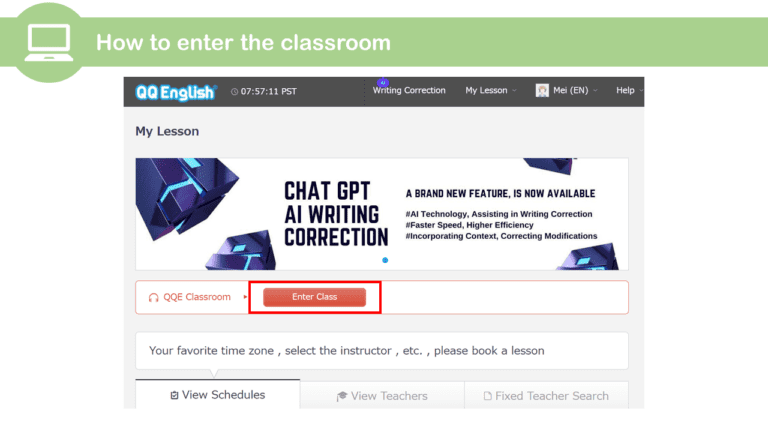
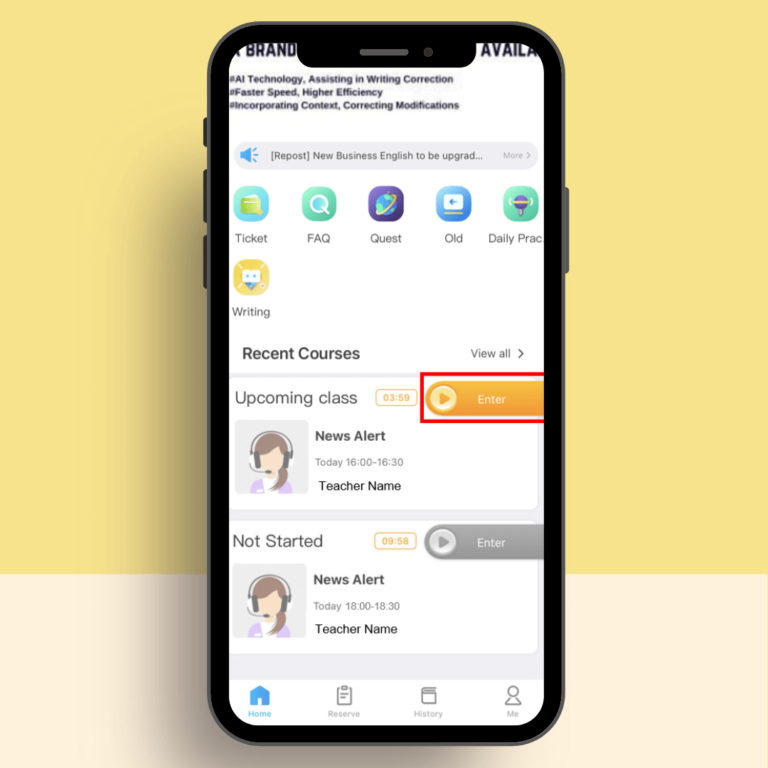
ปุ่ม “เข้าสู่คลาสเรียน” จะปรากฏขึ้นบริเวณด้านบนของเว็ปไซต์ประมาณ 5 นาทีก่อนเริ่มชั้นเรียน
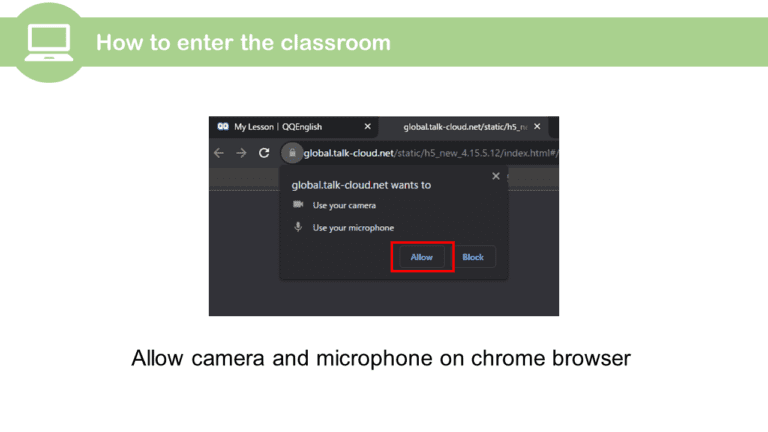
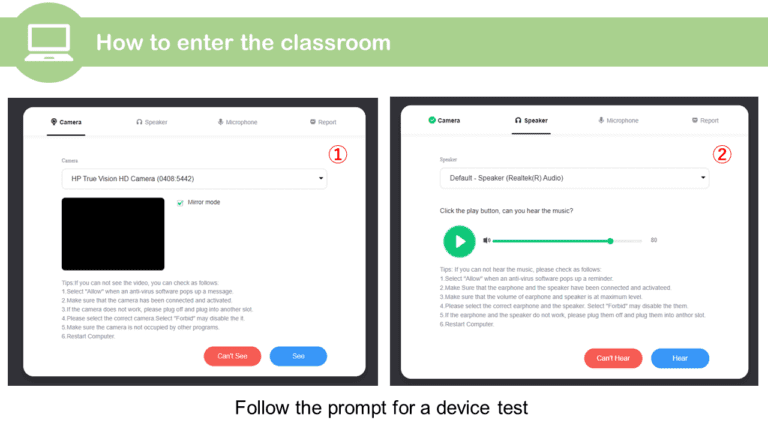
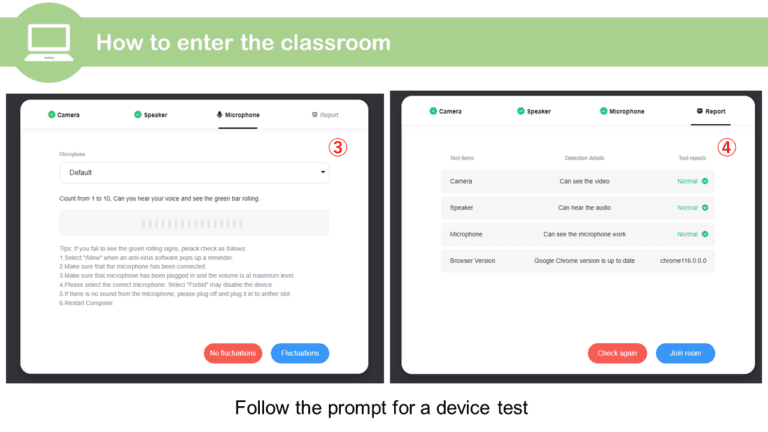
หากคุณใช้งาน Chrome หลังจากเข้าสู่ชั้นเรียน จะมีข้อความแจ้งเตือนเหมือนในสกรีนช็อต กรุณาทำตามคำแนะนำด้านล่าง เพื่อทดสอบอุปกรณ์ (กล้อง หูฟัง และไมโครโฟน) ของคุณเอง
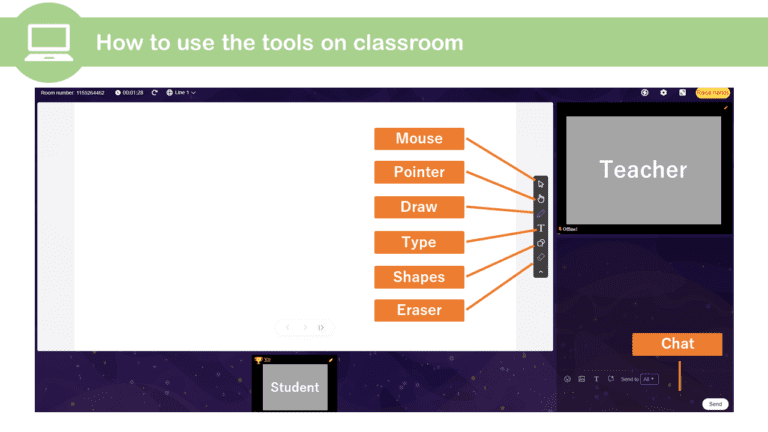
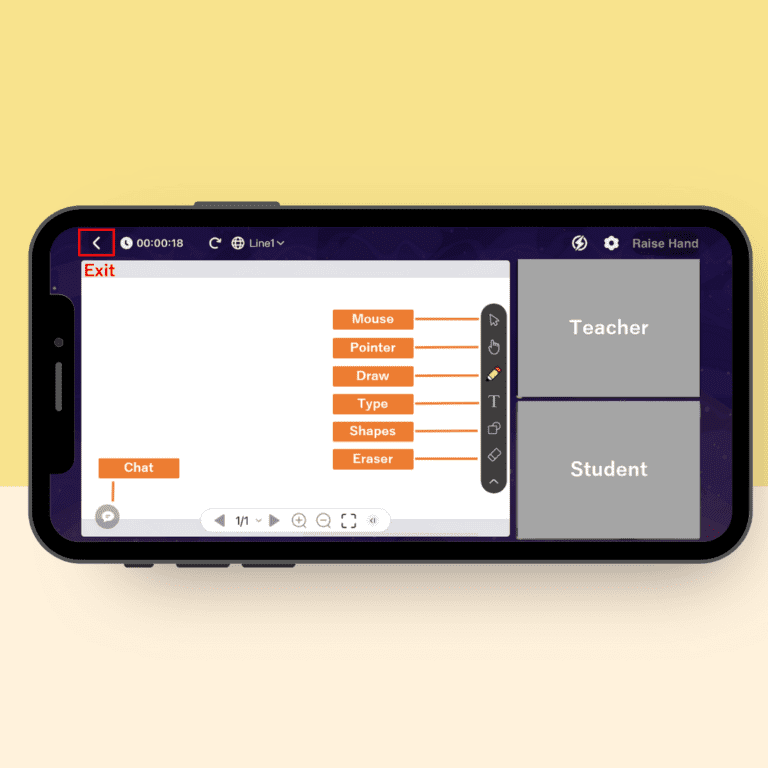
ภายในรูปจะอธิบายถึงเครื่องมือต่าง ๆ ที่สามารถใช้ได้ภายในห้องเรียน